Plan 2027: The Team Planning Template for a January That Starts Ready
Imagine walking into January with three goals your whole team can name, and every 2027 project already owned, dated, and placed in a quarter. One 90-minute session in December with this template gets you there.
5 pages, US Letter: how to use it, the blank template, and a filled-in example.
- Excel workbook · One tab per step; the Projects tab works out each project’s quarter and length from its dates. Opens in Google Sheets and Numbers too.
- Markdown version (for Notion) · Bring it in with Notion's Markdown import and fill it in together.
No email and no account needed: every file downloads directly. See our privacy policy.
What's inside
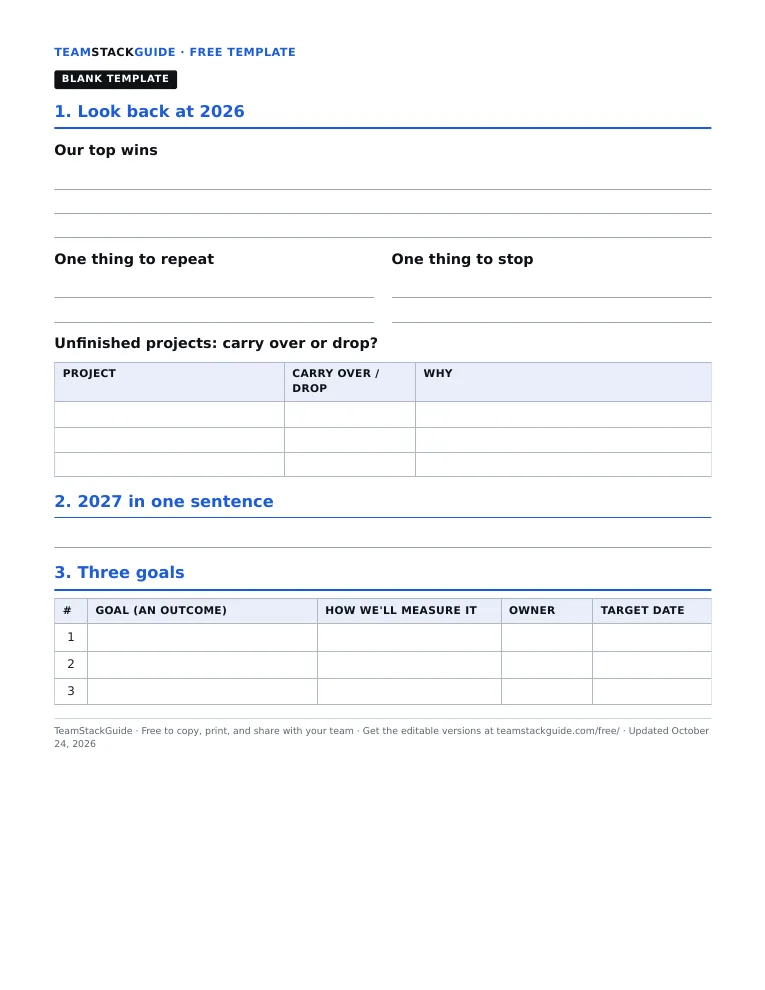
- The 2026 look back: top wins, one thing to repeat, one thing to stop, and a carry-over-or-drop call on every unfinished project.
- 2027 in one sentence, the theme that settles "should we take this on?" all year.
- Three goals, each with a measure, an owner, and a target date.
- A project list and a quarterly map (Q1 Jan 1–Mar 31 through Q4 Oct 1–Dec 31, 2027), with every project tied to a goal.
- A capacity check: each person's main focus per quarter, plus planned time off.
- A review rhythm: weekly, monthly, and quarter-end reviews on Fridays March 26, June 25, September 24, and December 17, 2027.
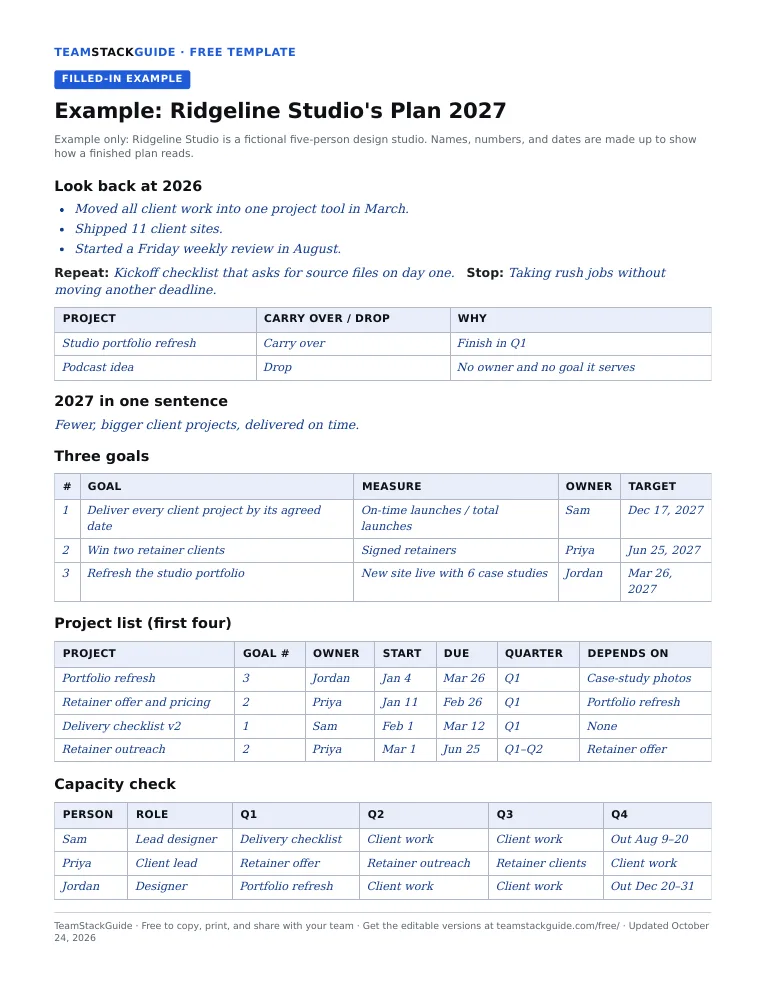
- A filled-in example from a fictional five-person design studio.
How to use it in three steps
- Book 90 minutes in December with the people who'll do the work, before the holidays.
- Fill it in order: look back, theme, goals, projects, quarterly map, capacity.
- Move the projects into your project tool that same week and put the four quarter-end reviews on the calendar.
Every project links to one of your three goals. When a new idea arrives in March, the first question is already written down: which goal does it serve?
Writing six or seven goals. Three goals your team remembers move further than seven nobody can name.
Keep the plan alive with a short weekly check. The Weekly Review Template has a project-check table that matches this project list.
The capacity check, if your team is three people or fewer. You already know who's doing what.
Is your tool ready for 2027?
Step 7 of the template asks whether your project tool still fits the plan. If the answer is "we need a change," score your shortlist with the Tool-Selection Scorecard, and compare options in our guide to the best project management software. To budget next year's seats, run your team size through the project management cost calculator. Prices can change at any time, so check them again in January.
Good to know
- December 31, 2027 is New Year's Eve, so the template sets the Q4 review for Friday, December 17.
- The example studio, names, numbers, and dates are made up to show the format.
More free templates
- The Weekly Review Template: A 35-minute end-of-week routine in five parts, so Monday starts with three priorities your team already agreed on.
- The Tool-Selection Scorecard: Nine questions, weights your team sets, and a score out of 100 for each tool, with a worked Trello vs Asana example.
Free to print, copy, adapt, and share with your team. See all free templates.